 English (UK)
 Polski
 Українська
 Deutsch
 Русский
 Français
 Italiano
 Español
 Nederlands
 Norsk bokmål

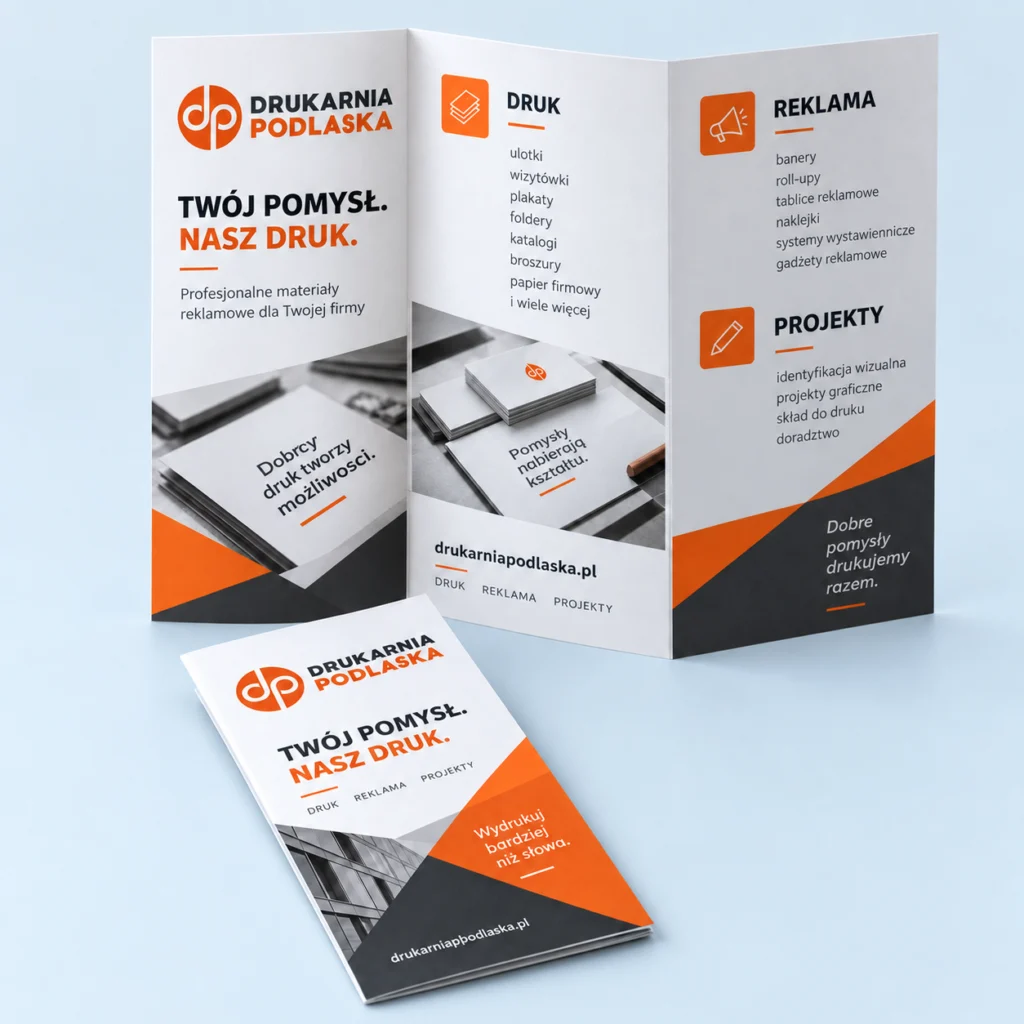
Flyers
folded flyers
Flyers folded in half, in C or Z. Double-sided color printing on 130, 170, or 250 g/m² coated paper, without lamination. Choose the format after folding, the folding method, the paper, and the quantity.
Product specifications
- Print quantity
- 10 pcs. · 25 pcs. · 50 pcs. · 100 pcs. · 200 pcs. · 250 pcs. · 500 pcs. · 1000 pcs. · 2500 pcs. · 5000 pcs. · 10000 pcs. · 15000 pcs. · 20000 pcs. · 25000 pcs. · 30000 pcs. · 40000 pcs. · 50000 pcs. · 75000 pcs. · 100000 pcs.
- Format after placement
- DL portrait (99 × 210 mm) · DL landscape (210 × 99 mm) · A6 portrait (105 × 148 mm) · A6 landscape (148 × 105 mm) · A5 portrait (148 × 210 mm) · A5 landscape (210 × 148 mm) · A4 portrait (210 × 297 mm) · A4 landscape (297 × 210 mm) · A3 portrait (297 × 420 mm) · Square (120 × 120 mm) · Square (200 × 200 mm) · Square (210 × 210 mm) · 105 × 297 mm · 140 × 297 mm
- Folding method
- Half-fold — 4 pages · W C — 6 pages · W Z — 6 pages
- Paper
- gloss coated paper 130 g/m² · matte coated paper 130 g/m² · gloss coated paper 170 g/m² · matte coated paper 170 g/m² · gloss coated paper 250 g/m² · matte coated paper 250 g/m²
How to prepare your artwork
Dimensions and requirements update when you change the configurator settings.
- Folded size (nominal)
- 99 × 210 mm
- Size before folding
- 198 × 210 mm
- Width of panels
- 99 / 99 mm
- Bend lines
- 99 mm from the left edge of the format without bleed
- File with bleed
- 201 × 213 mm
- Bleed
- 1.5 mm on each side
- Safety margin
- 5 mm from the cutting and bending lines
- Safe area for text and logo
- 89 × 200 mm per panel
- Colour mode
- CMYK, no spot colours
- Photos and bitmap images
- 300 dpi at actual size (1:1)
- File format
- PDF 1.4 or later
- Number of PDF pages
- 2 pages: front and back
- Fonts
- Embedded in the PDF
Extend the background to the edge of the bleed. Keep texts and logos within the safe area. Save the file without crop marks and guides.
Prepare two complete spreads, rather than separate panels. The first page of the PDF is the outer page, the second — the inner page. Maintain the orientation of the selected format. When folded in C, the narrower panel folds inward; on the reverse side, it is on the opposite side. Do not add fold lines to the file.